API Keys
API Keys provide a secure way to authenticate programmatic access to the Django Email Learning platform. They are designed to enable automated job execution without the need to set up cron jobs directly on the server. API keys are encrypted in the database using the ENCRYPTION_SECRET_KEY defined in your settings. If this key is changed, all existing API keys will become invalid.
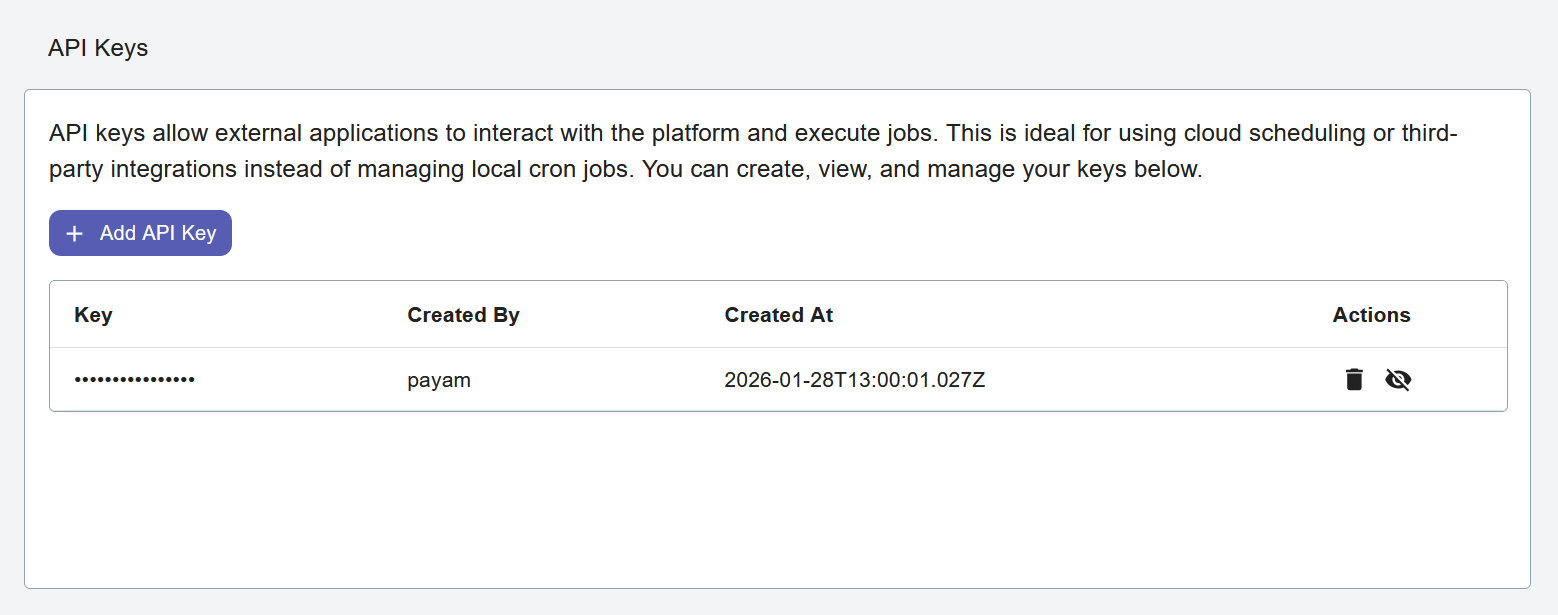
Overview
API Keys allow you to:
Run scheduled jobs programmatically (e.g.,
deliver_contents)Automate content delivery without server-level cron access
Manage multiple keys for different automation scenarios
Track which user created each key for audit purposes
This is particularly useful when:
You don’t have direct server access to configure cron jobs
You want to trigger jobs from external systems or CI/CD pipelines
You need to integrate Django Email Learning with other automation tools
You prefer managing scheduled tasks through external job schedulers
See Jobs HTTP API for the job-trigger endpoints’ request/response contract, including asynchronous execution and status polling.
Access Requirements
Only Platform Administrators can create and manage API keys. This includes:
Platform Admins (members of the “Platform Admin” group)
Superusers
Creating an API Key
Navigate to Settings → API Keys from the platform navigation menu
Click the Add API Key button
The system will generate a secure, random API key
Managing API Keys
The API Keys page displays all existing keys with the following information:
Key - A partial view of the API key (for security, only a portion is shown after creation)
Created At - Timestamp when the key was created
Created By - The username of the administrator who created the key
Actions - Delete button to revoke the key